
Planisphere for Mac
Create your Universe.
Steering, memory and knowledge graphs for the Claude Code and Codex you already use. Watch every session, keep them current, and keep a record of what they did.
Every session, by project
Agents, tools, context, proofs
Name the project; agents fill the rest
Policies, laws, duties, evidence

Steering
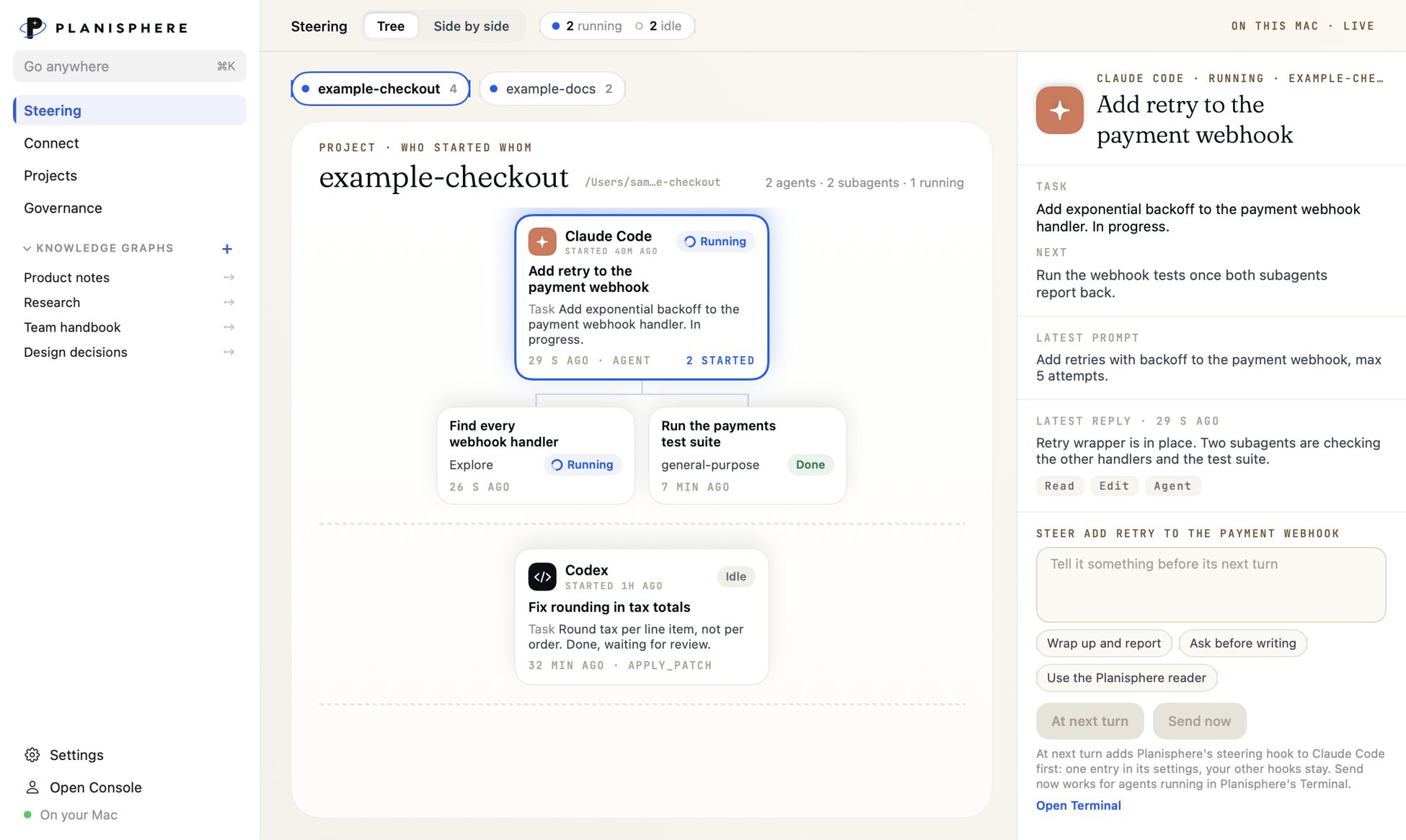
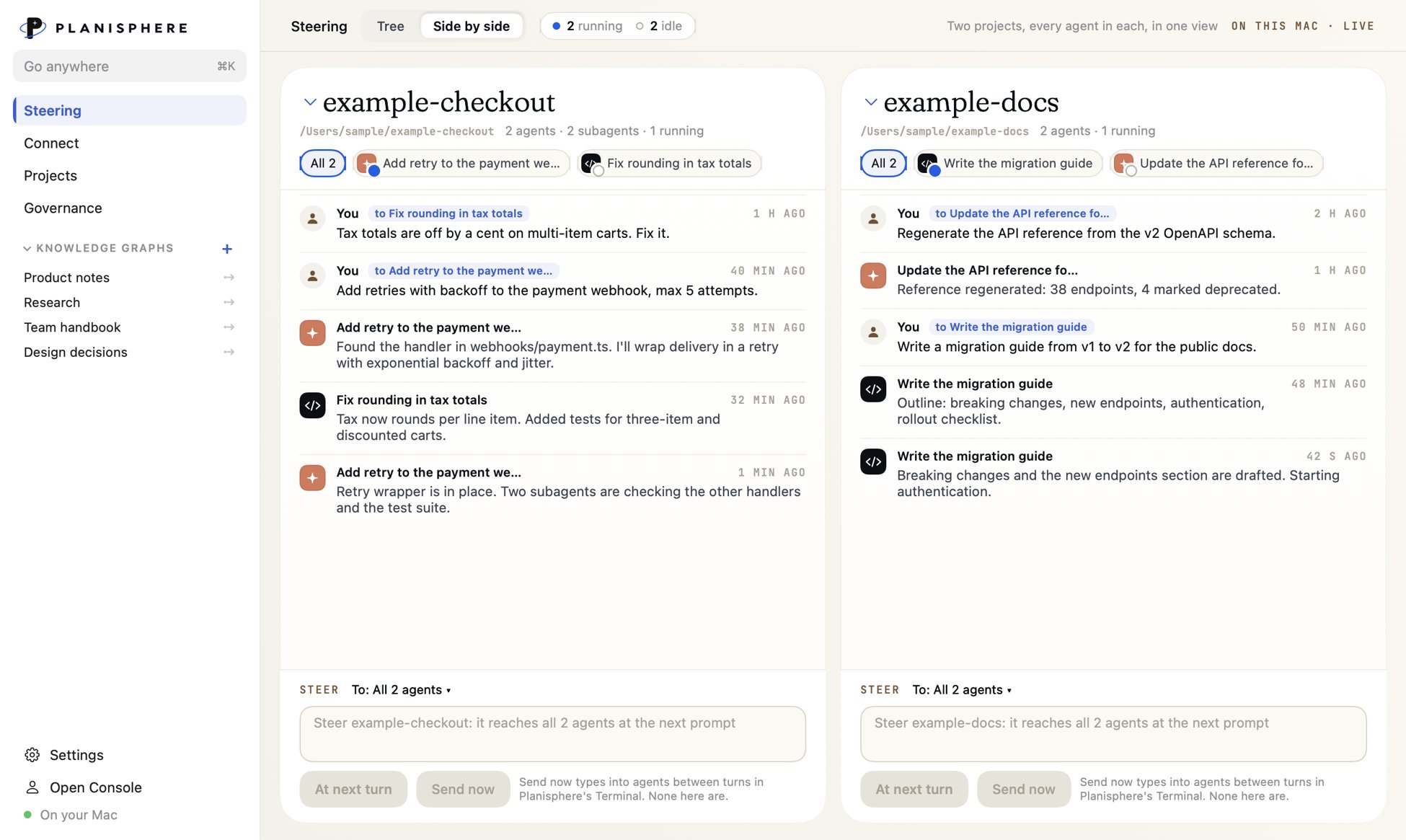
Steer all your Agents at once.
Steering shows every Claude Code and Codex session on this Mac, grouped by project, with who started whom. Put two projects side by side and watch both at once.
- Tree or side-by-side view, live
- A note can wait for the next turn, or go now into Planisphere's Terminal
- Subagents appear under the agent that started them
Connect
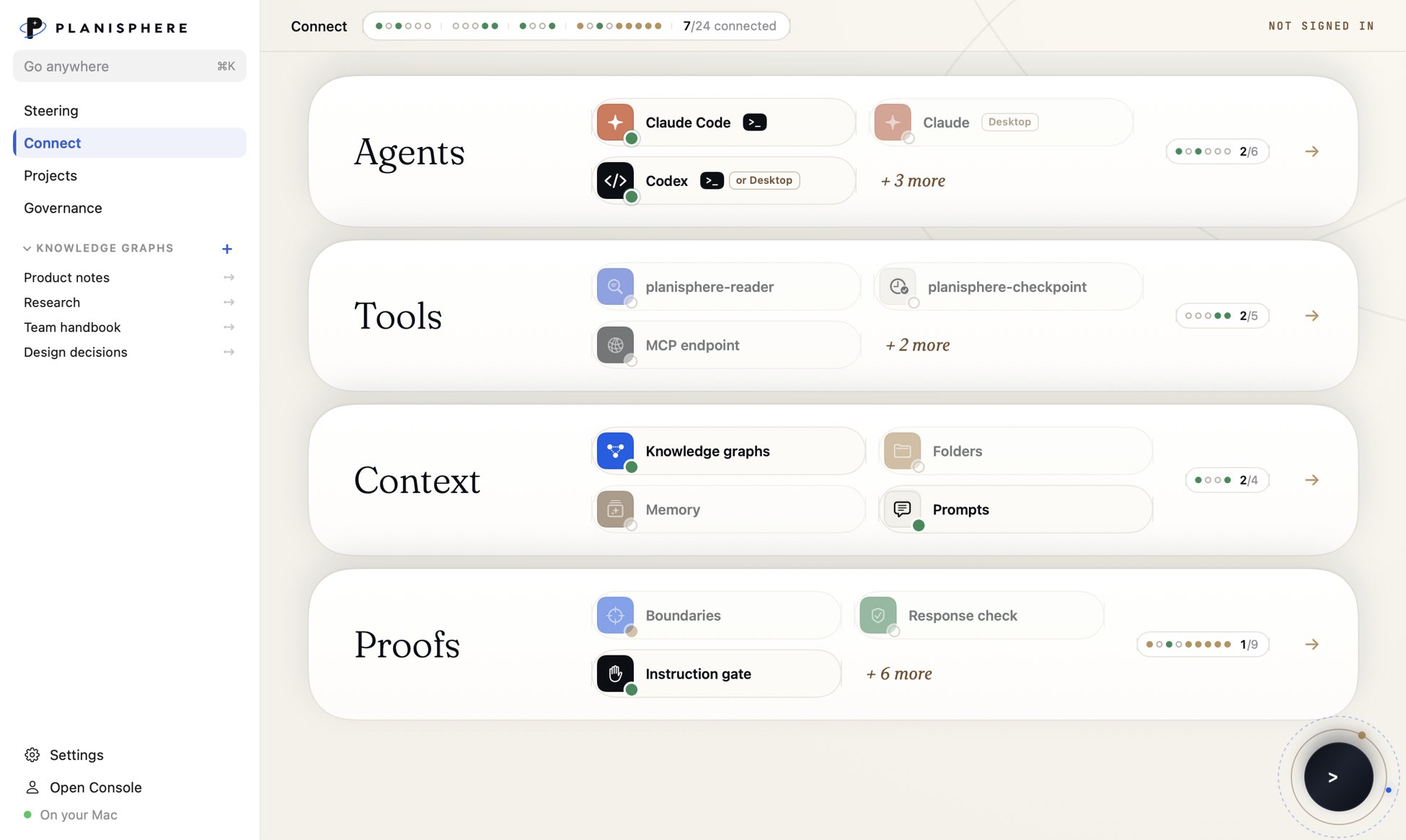
Connect your Agents, Tools, Context, and Policies.
Harness the power of AI with a unified system for you.
- Memory works without an account
- Each connection shows whether it's on, off or needs attention
- Connecting to a console workspace also installs activity recording for Claude Code
Projects
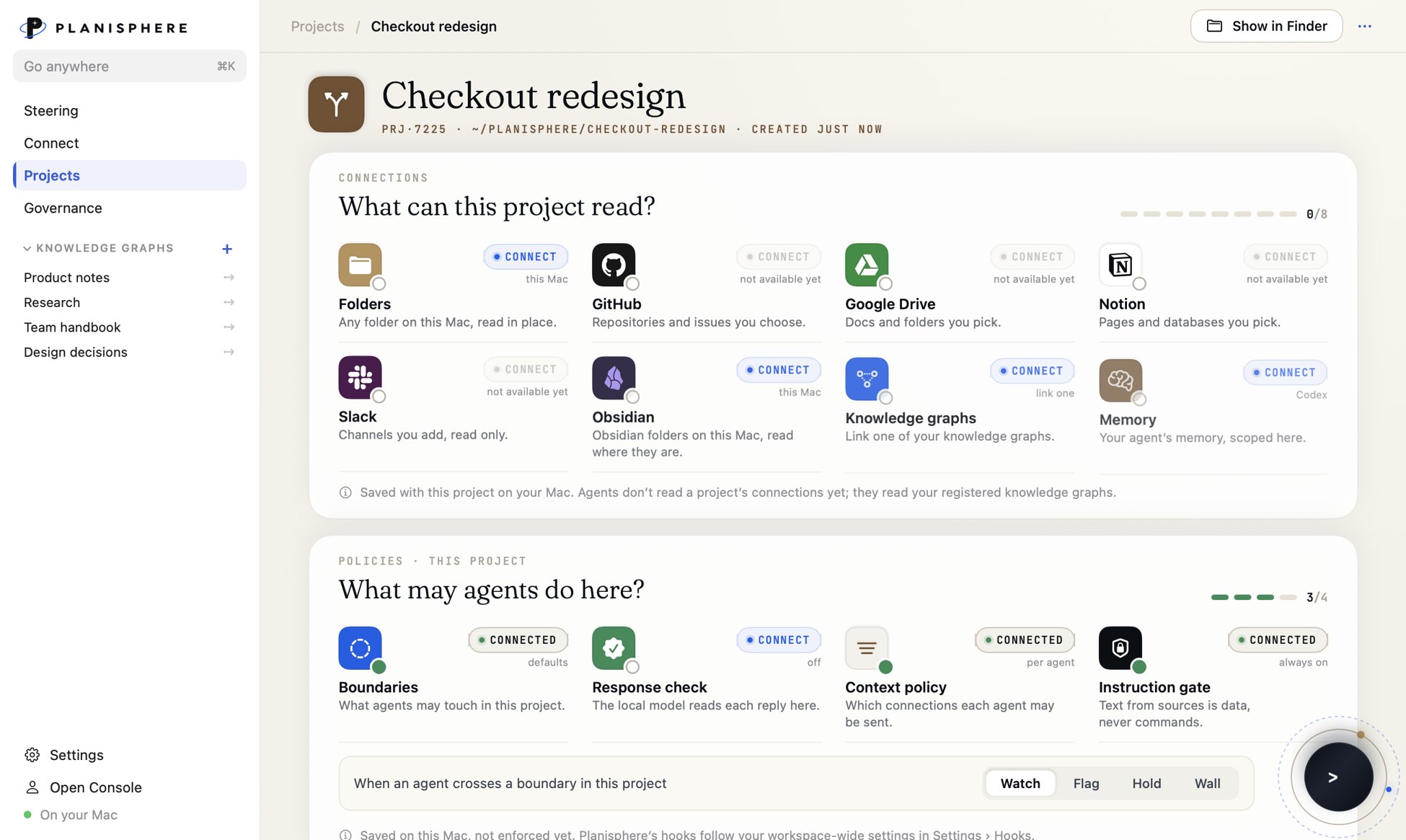
Name the Project. The agents fill the rest.
A project keeps what its agents may read and what they may do in one place: folders, knowledge graphs and memory on one side, boundaries and response checks on the other.
- Pick what a project can read, one connection at a time
- Set a response for each boundary: Watch, Flag, Hold or Wall
- Project rules are saved on this Mac; enforcement is coming
Governance
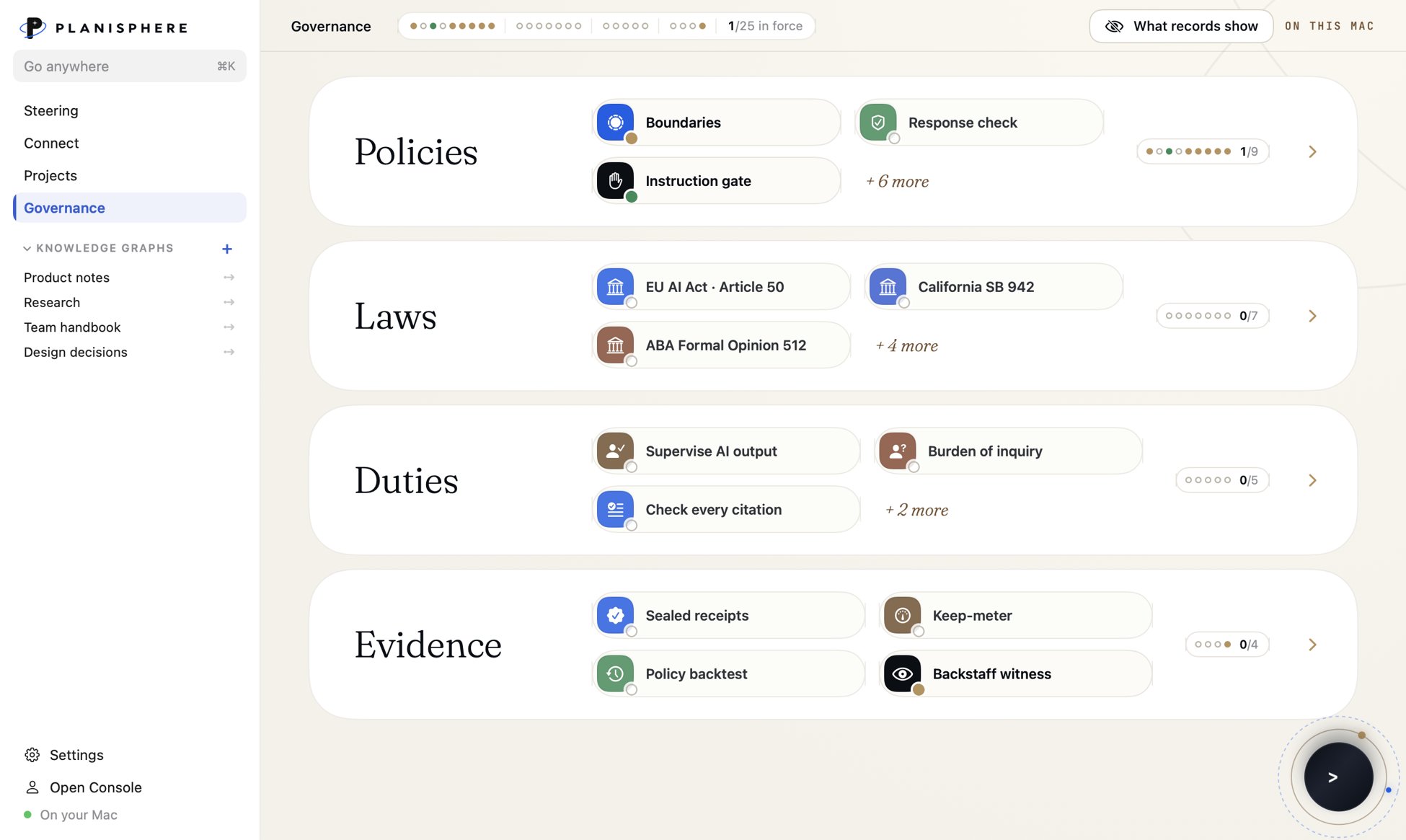
The rules you work under, on one page.
Governance gathers your policies, the laws that apply, the duties they create and the evidence you keep. It starts with seven boundaries at Watch and the laws in Planisphere's corpus.
- Policies, laws, duties and evidence, each with a count
- EU AI Act Article 50, California SB 942, ABA Formal Opinion 512 and more
- Sealed receipts and the policy backtest under Evidence
Download
What installs, and how to take it out.
Planisphere hooks into the agents you already run, so here is exactly what it adds to your Mac.

Free · 0.10.0 (34) · Oct 20, 2026 · 48 MB
A Mac with Apple silicon, running macOS 14 or later.
Signed with an Apple Developer ID and notarized by Apple.
Checks for updates on its own through a signed feed. Installing one waits for you.
Adds Planisphere's hooks to Claude Code or Codex. Your other hooks and settings stay as they are. Claude Code may ask you to review the new hooks in /hooks.
Installs a local reader so your agents can read the knowledge graphs you open, with each one's exclusions.
Only if you choose it: a one-time 2.5 GB download, checked against a pinned fingerprint, run as a login item that answers only this Mac.
Remove any hook from Settings › Hooks, then quit Planisphere and move it to the Trash.
Release notes
What's new.
A new window: Steering, Connect, Projects and Governance in the sidebar, with your knowledge graphs listed below and the list collapsible. Steering shows every Claude Code and Codex session by project.
Ships with the updated agent host.
Knowledge Graphs in the sidebar, fast history and recovery for unfinished setup.
Before you install.
What does it cost?+
Nothing. Planisphere for Mac is free. Bring your own Claude Code and Codex subscriptions.
Do I need an account?+
No. Memory, knowledge graphs and Steering work without one. An account matters when you connect the Mac to a console workspace.
Which agents does it work with?+
Claude Code and Codex today, with your own subscriptions.
Does it run on Intel Macs?+
No. Planisphere for Mac needs Apple silicon and macOS 14 or later.
What reaches the console?+
Only what a connected Mac reports: prompts and hook activity from the agents you connect. Your knowledge graph files stay on the Mac.